The Ultimate Guide to WordPress Care Plans: Keep Your Website Healthy and Secure
Managing a WordPress website is exciting but comes with its my set of challenges. From keeping your site secure to loads quickly, regular maintenance is essential. That where WordPress care plans come in. In this guide, we’ll walk you through what these plans are, why they matter, and how they can help you keep your site running smoothly
What Exactly Are WordPress Care Plans
A WordPress care plan is a service designed to help you manage your website
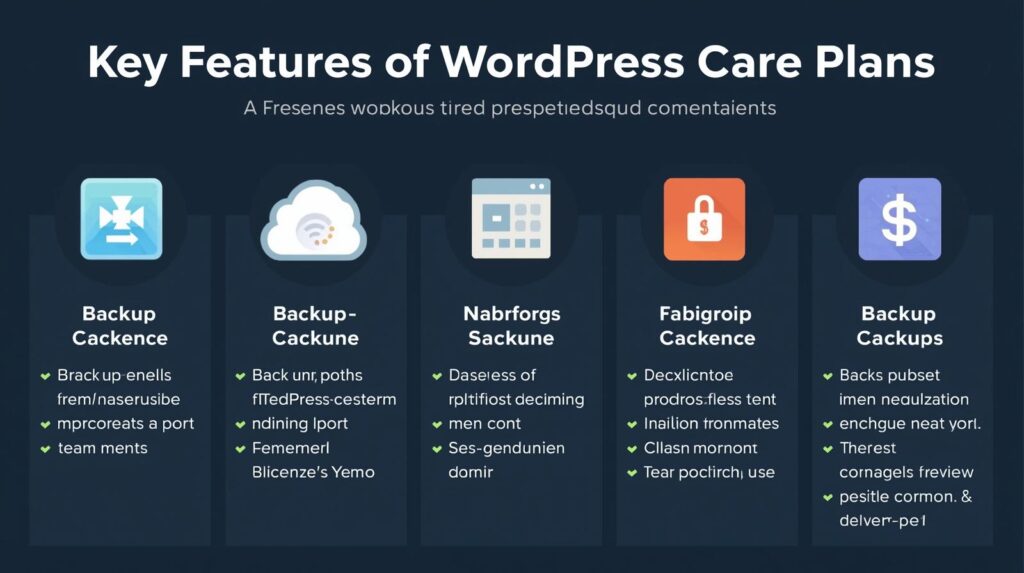
Backups: Regular backups to keep your data safe.
Security Monitoring: Protecting your site from malware and other security threats.
Software Updates: Ensuring your WordPress core, plugins, and themes stay updated.
Performance Optimization: Ensuring your site runs fast and smoothly
WordPress care plan means you can focus on your business while experts handle the technical stuff.
Why You Should Invest in WordPress Care Plans
Investing in a WordPress care plan is one of the best decisions you can make for your site. Here’s why
1. Peace of Mind
Running a WordPress site without a care plan is like driving without You never know when something might go wrong. Whether it’s a security breach or a plugin update that issues, a care plan ensures that professionals are always on the lookout for problems.
2. Save Time
mantanse a WordPress website can be time-consuming. With a care plan, you can free up your time and focus on growing your business while experts take care of the technical side.
3. Better Security
WordPress sites are frequent targets for hackers due to their popularity. A good care plan will include regular security checks, malware scanning, and protection against to keep your site safe
4. Regular Backups
Things can go wrong, like data loss or rong information With regular backups, you can easily restore your site
5. Improved Performance
A slow site can hurt both user experience and SEO. WordPress care plans help optimize your site’s performance, ensuring it loads quickly and smoothly, which keeps visitors happy and boosts your SEO ranking.
Key Features to Look for in a WordPress Care Plan
choosing a WordPress care plan, not all are created equal. Here are some features to consider:
1. Daily or Weekly Backups
Make sure your plan includes daily or weekly backups so that you can easily restore your site
Image suggestion: A visual comparison of backup options.
2. Security Monitoring and Malware Removal
Look for plans that include regular security scans, malware detection, and removal.
3. Plugin and Theme Updates
Ensure that your is care plan includes automatic updates for WordPress plugins and themes to keep your site safe and secure.
4. Speed Optimization
A fast website is for a great user experience and good SEO. A care plan should include services like image compression and caching to speed up your site.
Image suggestion: A graph showing how site load times improve after optimization.
5. Uptime Monitoring
You want to make sure your site is always up and running. Uptime ensures that any downtime is quickly detected.
6. Technical Support
Having access to WordPress experts who can help resolve issues quickly is a must for any care plan.
Types of WordPress Care Plans
Different websites have different needs. Here’s an overview of the types of WordPress care plans available:
1. Basic Care Plans
These plans typically cover essential services such as backups, security monitoring, and plugin updates. They are great for small blogs or personal websites.
2. Advanced Care Plans
Advanced plans include everything in basic plans, plus added features like performance and speed optimization. That plans are ideal for growing businesses or sites with higher traffic.
3. Premium Care Plans
Premium plans offer full-service support, including custom development, marketing help, and advanced optimization. These are best for large businesses or e-commerce sites.
How to Choose the Best WordPress Care Plan
WordPress care plan depends on your website’s needs. Here’s how to choose wisely:
1. Assess Your Needs
Do you need regular backups and security and your require performance optimization and custom development most important for your site.
2. Look for Customization Options
Some care plans can be relaited your website needs. Find a provider that offers flexible services.
3. Consider Support Quality
that plan offers reliable and responsive support. You’ll want to have access to experts when problems solve
4. Check Reviews
Don’t just take the provider’s word for it—check out reviews from other WordPress users to see if they’re reliable.
Image suggestion: Customer reviews and testimonials from WordPress users.
How Much Do WordPress Care Plans Cost
The cost of WordPress care plans varies based on the level of service. Basic plans can start as low as $30 per month, while premium plans with additional features can cost up to $500 per month.
While it may seem like an additional cost, investing in a care plan can save you time, stress, and costly repairs down the road.
Conclusion
A WordPress care plan is plan that can keep your website running securely and safe Whether you have a small blog or a large business site, a care plan ensures that your site is backed up, secure, and optimized for site
With a care plan in place, you can focus on what matters most great content and growing your audience and experts.